
Read-only. Holds no keys.
Bunker Watch never sees a day key, a recovery kit or a password, and it has no way to send a transaction. Bunker never asks for your recovery kit or its password, here or anywhere else.
Install it
This is the only official listing. Its item ID is hdolgpohfdllibcmceaenliegnedeafn; check that it is in the address bar before you install.
What it looks like
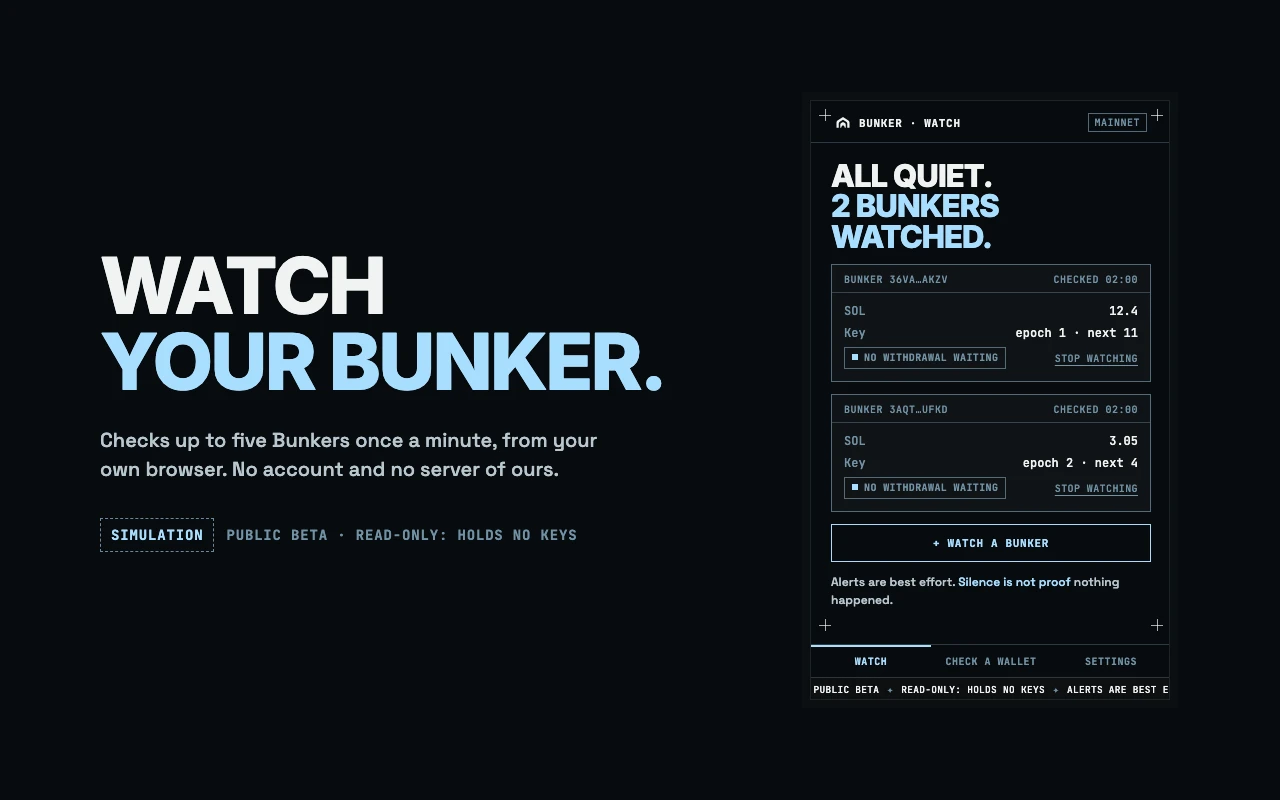
All quiet. Each Bunker you watch, its balance, and when it was last read. 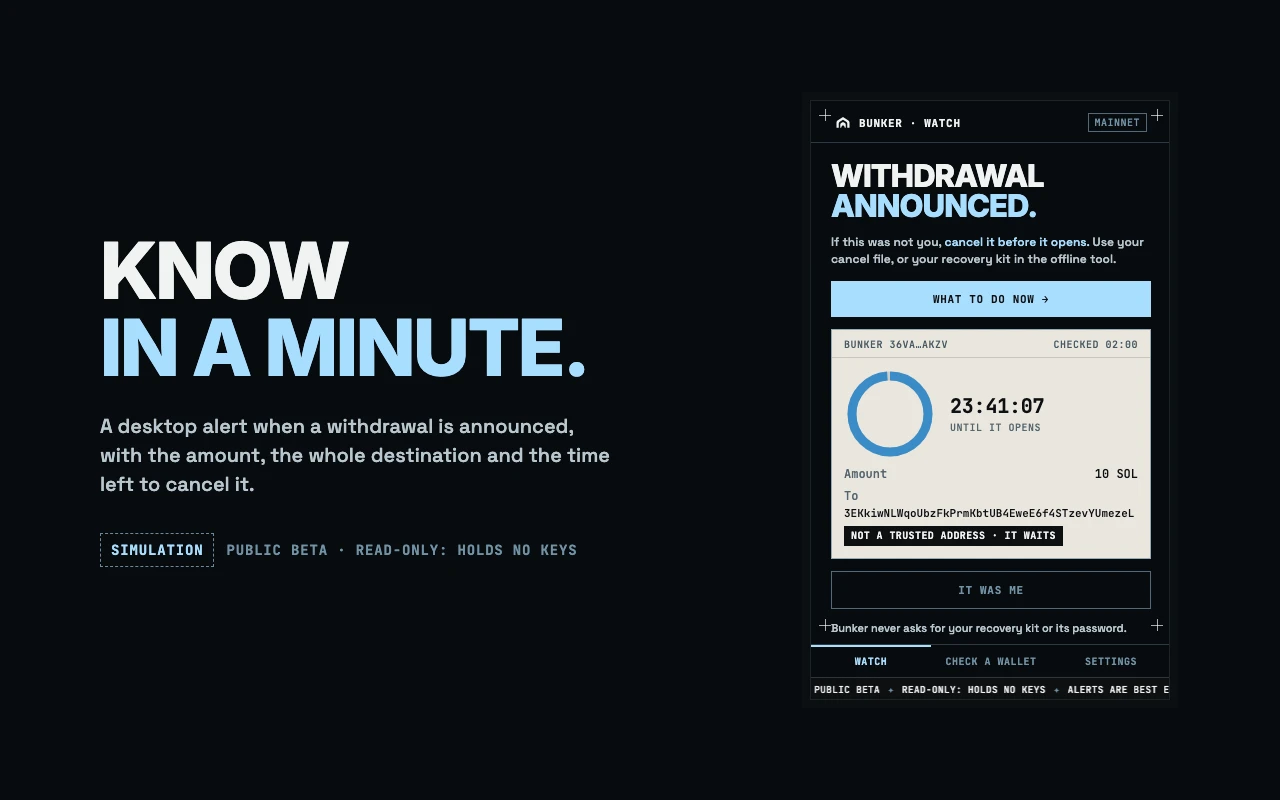
A withdrawal was announced. The amount, the whole destination, and the time left to cancel it. 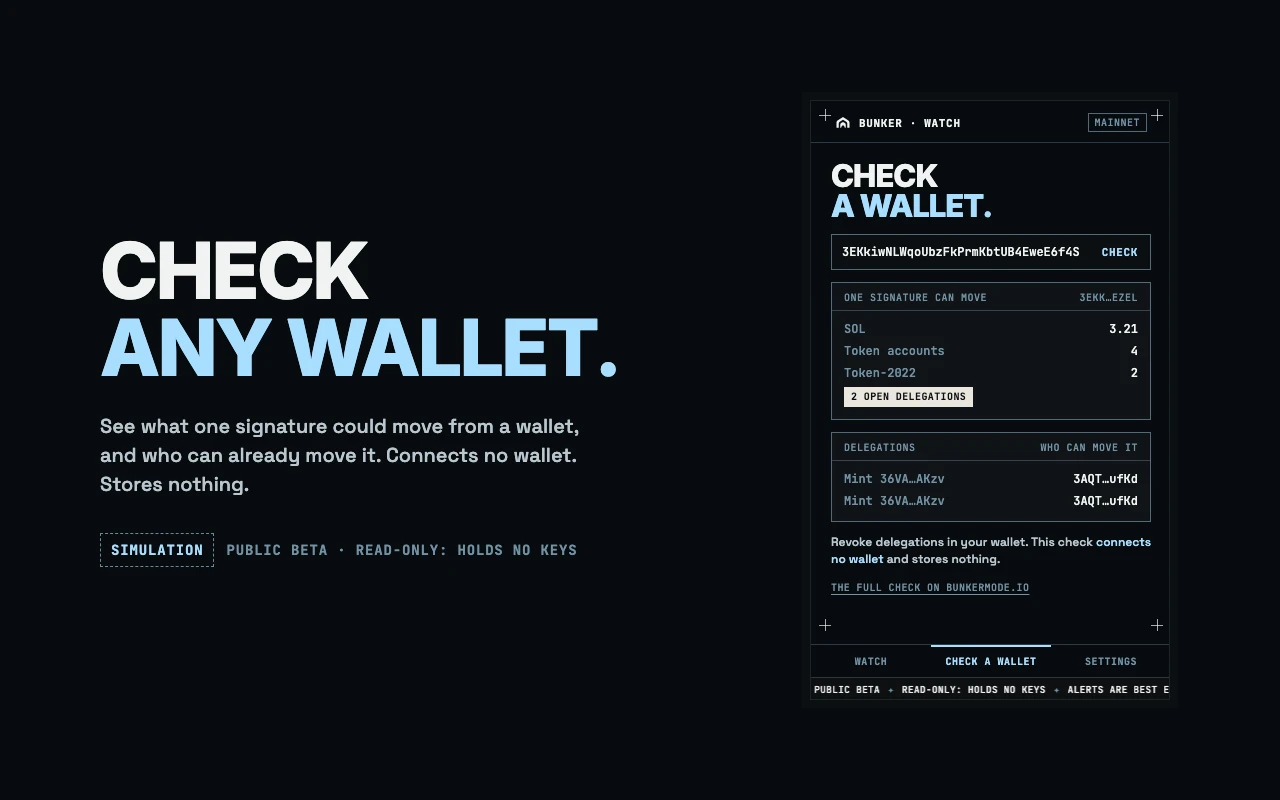
Check any wallet: what one signature could move, and who can already move it. 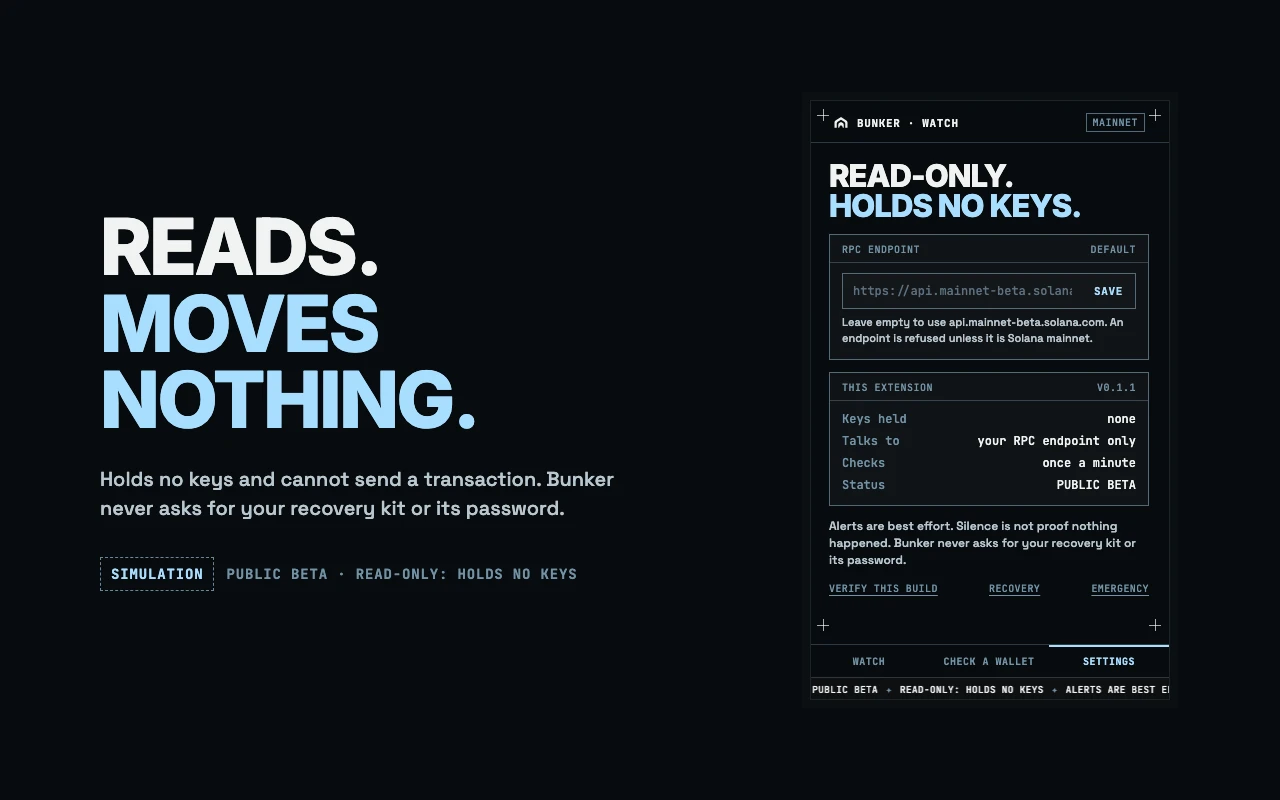
Settings. It holds no keys and talks to one RPC endpoint.
These are the real popup, drawn over made-up readings. Each one is labelled SIMULATION.
What it does
- You paste the address of a Bunker. It checks that the address is a Bunker of the published program, and watches up to five.
- Once a minute it reads each one and compares it with what it saw the minute before.
- When a withdrawal is announced you get a desktop notification, the toolbar badge shows the hours left, and the popup shows the amount, where it is going, whether that is one of your trusted addresses, and a countdown.
- It also tells you when SOL arrives, when a withdrawal leaves, and when a Bunker’s keys are replaced.
- It can run the same wallet check as this site, for any address.
Why it matters
A withdrawal to an address you did not list as trusted waits before it can leave, and you can cancel it while it waits. That only helps if you find out in time. Bunker Watch does the finding out on your own computer, with no server of ours in between.
If an alert is not you, the extension does not act. It sends you to what to do now, where your cancel file or your recovery kit stops the withdrawal.
What it does not do
- It does not withdraw, deposit, cancel or recover. Those stay on this site, the offline tool and the command-line client.
- It runs only while your browser is running. A closed laptop sees nothing until it is opened again.
- Alerts are best effort and can be late or missing. Silence is not proof that nothing happened. If it cannot read the network for five minutes, its badge shows “!” and it tells you once.
- It believes its RPC endpoint. An endpoint that lies can show it anything.
- It reports SOL arriving, not token deposits.
- It protects nothing by itself. Bunker protects the withdrawal path, not the chain, and this only tells you what happened on that path.
What it is allowed to do in your browser
- Remember the addresses you watch and their last public state.
- Wake up once a minute.
- Show notifications.
- Talk to one Solana RPC endpoint: the public mainnet one, or one you set, which your browser asks you to allow.
It cannot read or change any web page, and it loads no code from the network. An endpoint that is not Solana mainnet is refused.
The build this site serves
Reading the published build…
The zip is built from the public source and comes out the same, byte for byte, on any machine: npm ci && npm run extension:build, then compare the SHA-256. A store repackages what it is given, so an installed copy is checked file by file: each file’s own hash is in extension-manifest.json. Fake extensions with this name will appear. The real one matches these hashes, and it never asks for a key.
Load it by hand
- Download the zip above and unzip it into a folder you will keep.
- Open
chrome://extensionsin Chrome or another Chromium browser and turn on Developer mode. - Choose “Load unpacked” and pick that folder.
- Open Bunker Watch from the toolbar and paste your Bunker’s address.
A hand-loaded extension does not update itself. Check this page for a new version, and compare the hash each time.